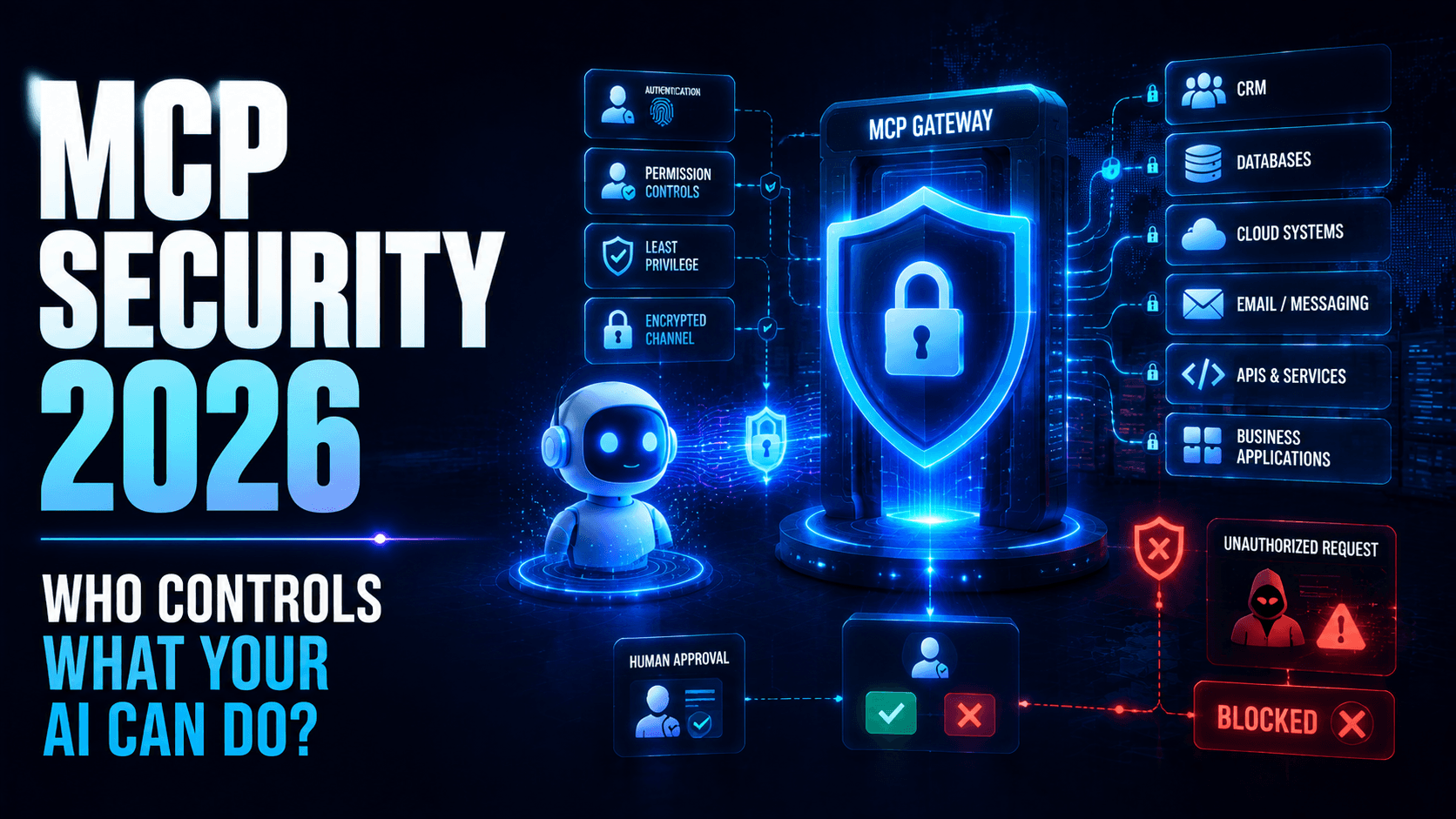
MCP Security in 2026: How to Secure AI Agents and Enterprise Tool Access
Learn how businesses can secure Model Context Protocol deployments against excessive permissions, malicious tools, data leakage and unauthorized AI-agent actions.
Enterprise AI is changing from systems that simply answer questions into systems that can take actions.
An AI assistant may now search internal documents, query databases, create support tickets, access CRM records, interact with APIs, update business applications or trigger automated workflows.
Model Context Protocol (MCP) makes these integrations easier by providing a standardized way for AI applications to connect with tools and data.
But connectivity introduces a new security question:
What happens when an AI system is connected to something it should not access—or is persuaded to use an authorized tool in an unsafe way?
This is why MCP security is becoming an important part of enterprise AI architecture.
MCP Changes the AI Security Model
Traditional chatbots usually had a relatively limited security boundary.
A user entered a question.
The model generated an answer.
An MCP-enabled AI system can have a much larger operational footprint.
It may communicate with:
- CRM platforms
- Databases
- Cloud storage
- Calendars
- Source-code repositories
- Customer-support platforms
- Financial applications
- Internal documents
- External APIs
- Automation systems
This turns AI security into more than model security.
Businesses must secure the complete chain:
User → AI Application → MCP Client → MCP Server → Tool → Business System → Data
A weakness anywhere in that chain can create risk.
Why MCP Security Matters
Consider an AI sales assistant connected to a CRM.
A salesperson asks:
“Show me the latest activity for this customer.”
That seems harmless.
But the underlying MCP connection may technically have permission to:
- Read every customer
- Export records
- Update opportunities
- Delete contacts
- Access confidential notes
The AI may only need one of those capabilities.
Giving it all of them creates unnecessary risk.
The principle should therefore be:
An AI agent should receive only the tools and permissions required to complete its specific job.
This is the same least-privilege principle used throughout cybersecurity, applied to AI-agent infrastructure.
Risk #1: Excessive Tool Permissions
One of the biggest mistakes businesses can make is giving AI agents broad access because it simplifies development.
For example, a customer-support agent may need permission to:
- Read customer information
- View orders
- Check ticket status
It probably does not need permission to:
- Delete customers
- Change product pricing
- Modify administrator accounts
- Export the entire database
MCP implementations should separate capabilities wherever possible.
Instead of exposing one powerful database tool, organisations can expose narrower operations such as:
- Search customer
- View order
- Create support ticket
- Update approved ticket fields
This limits the potential impact of incorrect AI behaviour.
Risk #2: Prompt Injection Through Connected Data
Prompt injection becomes more complicated when AI systems can access external content.
Imagine an AI assistant reading a document containing hidden instructions designed to manipulate the model.
The document might attempt to convince the AI to ignore normal instructions or call another connected tool.
The dangerous part is not simply that the model reads malicious text.
The dangerous part is that the model may also have tools capable of taking actions.
Businesses therefore need separation between:
- Untrusted content
- Model reasoning
- Tool authorization
- Sensitive actions
Reading a document should not automatically give that document authority over enterprise systems.
Risk #3: Malicious or Compromised MCP Servers
Businesses may eventually connect AI applications to many MCP servers.
Some may be developed internally.
Others may come from vendors or third-party developers.
A compromised server could potentially:
- Return manipulated information
- Request unnecessary credentials
- Misrepresent available tools
- Capture sensitive information
- Trigger unexpected downstream behaviour
MCP servers should therefore be treated like other enterprise software dependencies.
Businesses should evaluate who developed them, what permissions they require and how they are maintained.
Risk #4: Credential and Secret Exposure
MCP servers frequently need credentials to communicate with other systems.
These may include:
- API keys
- OAuth tokens
- Database credentials
- Cloud credentials
- Service-account secrets
- Certificates
Hard-coding these secrets into application files creates unnecessary risk.
Credentials should instead be stored in controlled secret-management systems.
Businesses should also use short-lived credentials wherever practical.
If a credential is compromised, its useful lifetime should be limited.
Risk #5: Tool Poisoning
AI applications may depend on descriptions explaining what tools do.
A malicious or compromised integration could provide misleading information that influences when or how the AI uses the tool.
This means businesses should not blindly trust tool metadata.
Tool definitions should be:
- Reviewed
- Version-controlled
- Approved
- Monitored
- Restricted to trusted sources
Changes to important tool definitions should generate security or administrative review.
Risk #6: Unauthorized AI Actions
AI agents can misunderstand instructions.
A user may also request something beyond their authority.
For example:
“Export all customers and email them to me.”
Even if the AI technically has access to the CRM and email system, the workflow should not automatically proceed.
Authorization should depend on the user's identity and permissions, not simply the capabilities available to the AI.
The AI should not become a shortcut around existing access controls.
Risk #7: The Confused Deputy Problem
This is an important concept for AI-agent security.
An AI agent may have more permissions than the person interacting with it.
The user asks the agent to perform an action that the user could not perform directly.
If the AI executes the request using its own broader permissions, it effectively becomes a privileged intermediary.
This can create serious security problems.
MCP architectures should preserve user context wherever possible so downstream systems can determine:
- Who requested the action
- What they are allowed to do
- Which agent executed it
- Which tool was called
- What information was accessed
Risk #8: Data Leakage Between Tools
An AI agent connected to several systems can potentially move information between them.
For example:
Private database → AI Agent → External API
Each individual connection may be legitimate.
The combination may not be.
Businesses therefore need policies controlling not only which tools can be accessed but also which information may flow between tools.
Human Approval for High-Risk Actions
Not every AI action requires human approval.
Requiring approval for everything would eliminate much of the benefit of automation.
Businesses should instead classify actions according to risk.
Low-risk actions might execute automatically:
- Searching documentation
- Reading public information
- Summarising internal reports
- Checking ticket status
Higher-risk actions may require approval:
- Sending external emails
- Issuing refunds
- Modifying customer records
- Deploying software
- Deleting files
- Changing permissions
- Making financial transactions
The approval screen should clearly explain what the AI intends to do before the employee approves it.
MCP Authentication
Every connection should have a clearly defined identity.
The business should know:
- Which user initiated the request
- Which AI application is involved
- Which MCP server received it
- Which tool was executed
- Which business system was accessed
Anonymous or shared credentials make investigation difficult.
Modern authentication mechanisms should be used instead of permanent shared passwords wherever supported.
Authorization
Authentication answers:
Who are you?
Authorization answers:
What are you allowed to do?
MCP deployments need both.
A successfully authenticated AI application should not automatically receive access to every available resource.
Permissions should consider:
- User role
- Agent role
- Requested tool
- Data sensitivity
- Business context
- Action risk
Secure MCP Server Architecture
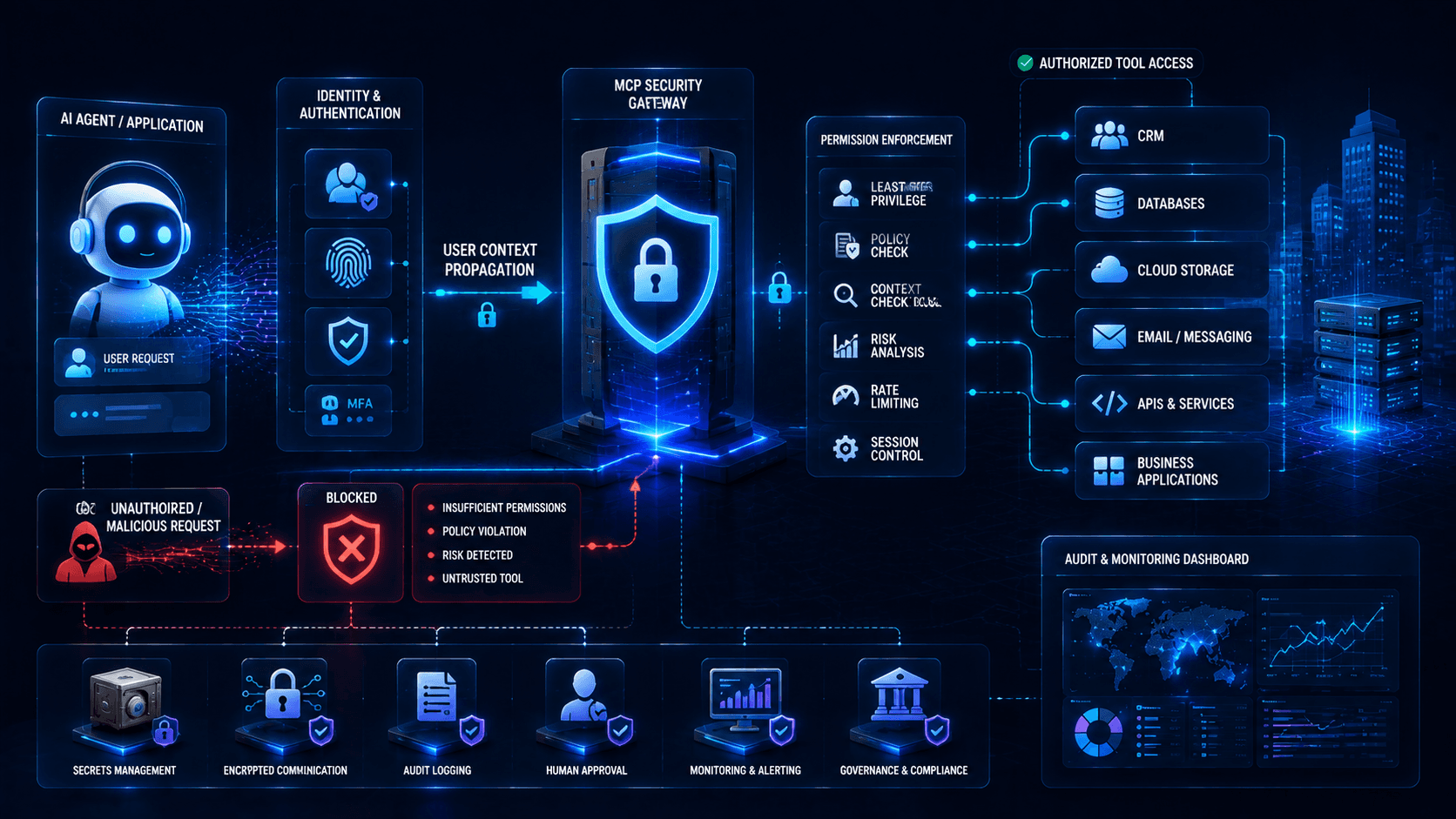
A production MCP server should generally sit behind several security controls.
A simplified architecture may look like:
AI Application
↓
Authentication
↓
Policy Enforcement
↓
MCP Server
↓
Approved Tool Layer
↓
Enterprise Application
Supporting controls may include:
- API gateway
- Secrets manager
- Audit logging
- Network restrictions
- Rate limiting
- Monitoring
- Data-loss prevention
The MCP server should not automatically become a direct unrestricted bridge into production systems.
Audit Logging
Businesses need visibility into what AI agents actually do.
Important logs may include:
- User identity
- Agent identity
- MCP server
- Tool requested
- Tool executed
- Time
- Result
- Approval decision
- Permission decision
- Errors
For sensitive environments, organisations may also need to record which business resource was affected.
Logs should be protected against unauthorized modification.
MCP Observability
Traditional application monitoring asks:
Is the service running?
AI-agent monitoring needs additional questions:
Which tools is the agent calling?
Why are tool-call patterns changing?
Is an agent accessing unusual resources?
Useful metrics can include:
- Tool-call frequency
- Failed authorization attempts
- Unusual data access
- Approval rejection rates
- New MCP servers
- Credential failures
- Tool execution errors
- Unexpected outbound connections
Behavioural monitoring can help detect compromised or misconfigured agents.
Shadow MCP
Businesses should also prepare for Shadow MCP.
Employees may install AI applications or MCP integrations without security-team approval.
An employee might connect an AI desktop assistant to:
- Company documents
- Git repositories
- Cloud drives
- Development tools
because it improves productivity.
But security teams may have no visibility into what information is accessible.
Companies should create clear policies defining which AI applications and MCP servers are approved.
Blocking everything may encourage employees to work around security controls.
Providing safe approved alternatives is usually more effective.
MCP Server Inventory
Organisations should maintain an inventory containing:
- Server name
- Owner
- Purpose
- Tools exposed
- Data accessed
- Authentication method
- Permissions
- Environment
- Vendor
- Version
- Risk classification
Without an inventory, AI integrations can become difficult to govern as adoption grows.
Secure Development Lifecycle
MCP servers should follow normal secure-software-development practices.
Teams should perform:
- Code review
- Dependency scanning
- Vulnerability testing
- Secrets scanning
- Configuration review
- Access testing
- Logging validation
- Penetration testing
AI-specific testing should also examine how the system behaves when models receive malicious or misleading content.
MCP and Zero Trust
MCP security aligns naturally with Zero Trust architecture.
Zero Trust assumes that access should not be trusted simply because a request originates inside the company network.
Every request should be evaluated according to identity, context and policy.
For AI systems, this means:
Never trust an agent simply because it is an approved agent.
Evaluate each important action.
A Practical MCP Security Checklist
Before deploying MCP in production, businesses should confirm:
- Every MCP server has an owner
- Authentication is required
- Permissions follow least privilege
- Secrets are stored securely
- High-risk actions require approval
- Tool definitions are controlled
- Servers are inventoried
- Logs are collected
- Unusual behaviour is monitored
- Third-party servers are reviewed
- Production access is restricted
- Credentials can be revoked
- Data flows are understood
- Incident-response procedures include AI agents
What Arrowhead DigiTech Is Doing
At Arrowhead DigiTech, we help organisations build enterprise AI integrations with security incorporated from the beginning.
MCP Security Assessments
We review MCP servers, tools, permissions and data flows to identify unnecessary exposure.
Secure MCP Server Development
We build controlled MCP servers designed around clearly defined business functions.
AI Agent Security
We implement identity, authorization and action controls around enterprise AI agents.
Least-Privilege Architecture
We restrict each agent to the minimum tools and data required for its role.
Human Approval Workflows
We create approval checkpoints for sensitive AI-generated actions.
API Security
We secure communication between MCP servers and enterprise applications.
Secrets Management
We protect API keys, service credentials and other machine identities used by AI integrations.
AI Observability
We monitor tool usage, authorization failures and unusual agent behaviour.
AI Governance
We establish ownership, policies, inventories and approval procedures for enterprise AI integrations.
Cybersecurity Testing
We test AI workflows against prompt injection, privilege abuse and unsafe tool interactions.
Final Thoughts
MCP can dramatically simplify enterprise AI integration.
But the same standardization that makes it easier to connect AI to business systems also makes security architecture increasingly important.
The goal should not be to give an AI agent every tool it might someday need.
The goal should be to give it exactly the capabilities required for the current job—and nothing more.
Secure MCP adoption requires identity, least privilege, protected credentials, human approval, monitoring and clear governance.
As AI agents become capable of performing real business actions, organisations will need to secure not only what AI knows, but also what AI is allowed to do.