CRM Integration in 2026: How Businesses Can Manage Customers More Efficiently
Customer information often lives across different tools and platforms. CRM integration helps businesses connect these systems, organize customer data and create smoother sales, marketing and customer service workflows.


Businesses interact with customers across multiple channels.
A potential customer may discover a company through an advertisement, visit its website, submit a form, receive an email and later speak with a sales representative.
When this information is stored across disconnected systems, important details can easily get lost.
This is where CRM integration can make a significant difference.
By connecting a Customer Relationship Management system with other business tools, companies can create a more organized flow of customer information and improve how teams manage leads and relationships.
What Is CRM Integration?
CRM integration is the process of connecting a CRM platform with other software and business systems.
Depending on the business, a CRM can potentially connect with:
- Websites
- Lead forms
- Email marketing platforms
- Advertising systems
- E-commerce platforms
- Customer support tools
- Booking systems
- Communication platforms
- Analytics tools
The goal is to allow relevant customer information to move between systems more efficiently.
Why CRM Integration Matters in 2026
Customer data is valuable, but only when businesses can actually use it.
If sales, marketing and customer service teams work with different information, communication can become inconsistent.
CRM integration can help create a more connected system where teams have better access to relevant customer information.
Instead of manually transferring information between platforms, businesses can automate parts of the process.
Connect Your Lead Generation With Sales
Imagine a potential customer completes a form on your website.
Without integration, someone may need to manually copy that information into the CRM.
With an appropriate integration, the lead can potentially be added to the CRM automatically.
The sales team can then receive the information and begin the appropriate follow-up process.
A simple workflow could look like:
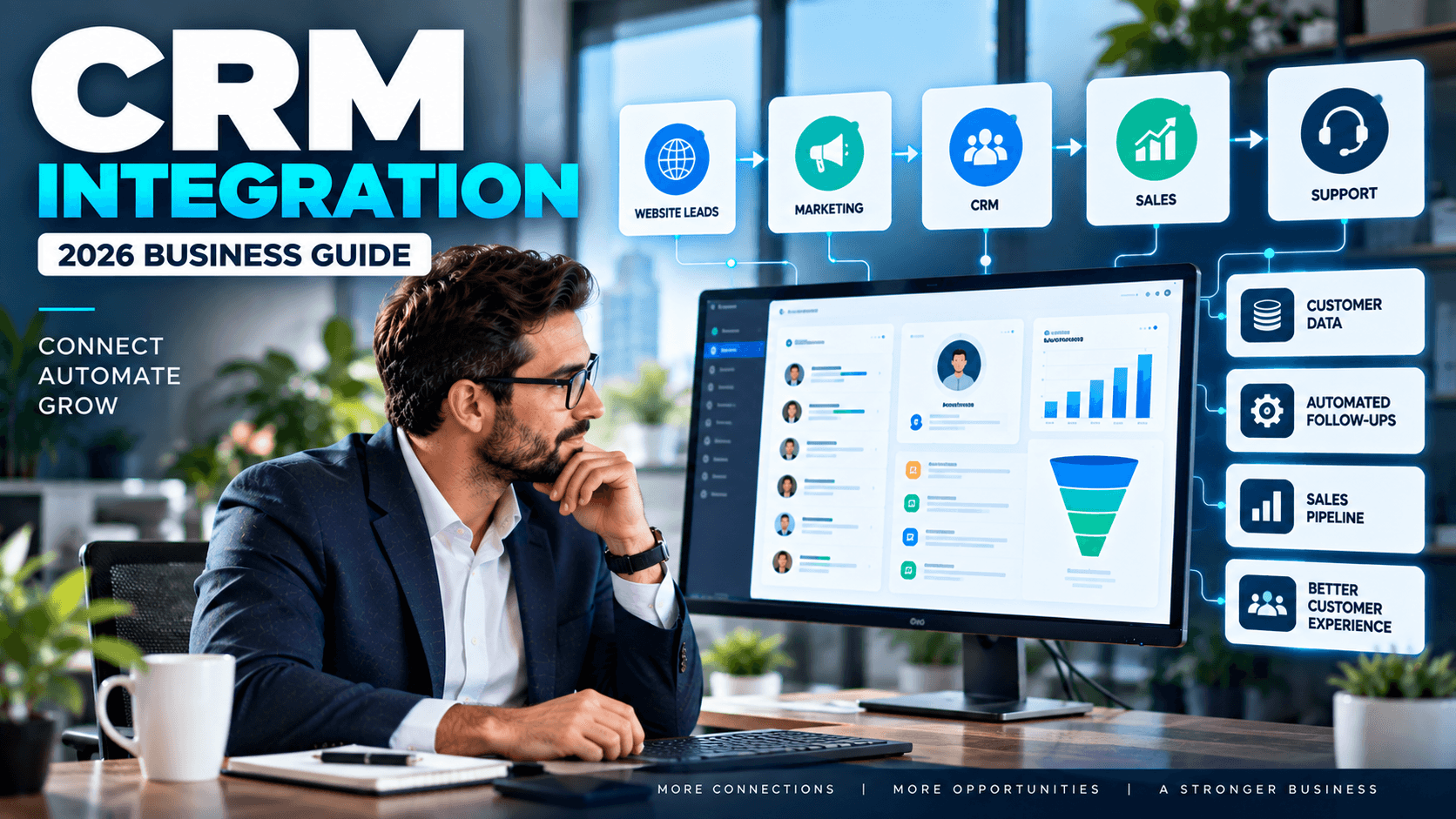
Website Form → CRM → Lead Assignment → Follow-Up → Sales Opportunity
This can reduce repetitive administrative work.
Improve Customer Follow-Up
Following up with leads consistently is essential for many businesses.
When customer information is properly organized in a CRM, sales teams can more easily see:
- New leads
- Previous interactions
- Follow-up status
- Customer requirements
- Sales opportunities
- Communication history
This gives teams a clearer view of where each customer is within the sales process.
Connect Marketing and Sales
Marketing teams generate leads, while sales teams often convert those leads into customers.
If these departments work with disconnected systems, valuable information can be lost between them.
CRM integration can help connect marketing activity with customer records.
For example, information from a lead-generation campaign can be connected to the CRM so sales teams have better context when following up.
This creates a more connected process:
Marketing → Lead → CRM → Sales → Customer
Reduce Manual Data Entry
Manual data entry takes time and can introduce errors.
Employees may need to copy names, emails, phone numbers or enquiry details between multiple platforms.
Automated integrations can reduce some of this repetitive work.
The result can be a more efficient workflow where employees spend less time moving information and more time working with customers.
Create a Better Customer Experience
CRM integration isn't only about internal efficiency.
It can also improve the customer experience.
When customer information is organized and accessible to the right teams, customers may not have to repeatedly explain their situation to different employees.
Sales and support teams can have better context about previous interactions, helping them provide more relevant communication.
CRM Integration for Small Businesses
Small businesses can also benefit from CRM integration.
They may use several tools for marketing, communication, scheduling and sales without having a dedicated technical team managing everything.
Connecting these systems can help create a simpler workflow.
For example:
Website → CRM → Email Follow-Up → Sales Team
Even a relatively simple integration can reduce repetitive tasks and improve lead management.
Common CRM Integration Challenges
CRM integration isn't simply about connecting two software platforms.
Businesses need to consider:
Data Quality
Duplicate or incomplete customer records can create problems.
Compatibility
Different platforms may have different technical requirements and integration capabilities.
Workflow Design
The integration should support an actual business process rather than simply moving data around.
Security
Customer information should be handled appropriately, with access controls and other relevant security measures.
Scalability
The system should be able to support the business as customer volume and operational requirements grow.
How to Build a Better CRM Integration Strategy
A successful CRM integration project should start with the business process.
1. Identify Your Systems
List the platforms currently used for sales, marketing, customer service and lead management.
2. Find Information Gaps
Determine where customer information is being lost, duplicated or manually transferred.
3. Define the Workflow
Decide exactly what information should move between systems and when.
4. Automate Repetitive Tasks
Identify manual processes that can safely be automated.
5. Test the Integration
Test different customer scenarios before fully deploying the workflow.
6. Monitor and Improve
Review the system regularly and make improvements as business requirements change.
Final Thoughts
CRM integration can help businesses turn disconnected tools into a more connected customer management system.
By connecting websites, lead generation, marketing, sales and customer service processes, businesses can reduce repetitive work and give teams better access to useful customer information.
In 2026, the goal isn't simply to have a CRM.
It's to create a connected system where customer information moves efficiently and supports better business workflows.
FAQs
What is CRM integration?
CRM integration connects a CRM system with other business tools so relevant customer information can move between systems more efficiently.
Why is CRM integration important for businesses?
It can reduce manual data entry, improve lead management, connect marketing and sales workflows and provide teams with better customer information.
Can a website be connected to a CRM?
Yes. Website forms and other customer interactions can often be connected to a CRM depending on the platforms and technical setup.
Can CRM integration automate lead follow-ups?
Yes. CRM integrations can support automated workflows for lead assignment, notifications, follow-ups and other processes when properly configured.
Is CRM integration useful for small businesses?
Yes. Small businesses can use integrations to connect their website, marketing and sales tools and reduce repetitive administrative work.