
Edge AI in 2026: Why Businesses Are Moving Intelligence Closer to Their Data
AI does not always need to send every request to a distant cloud server. Learn how Edge AI enables faster, private and resilient intelligence directly on local devices.
Artificial intelligence has traditionally depended on large cloud data centres.
A user submits a request, information travels across the internet, a cloud model processes it and the result returns to the device. This approach gives businesses access to powerful computing infrastructure without maintaining specialised hardware at every location.
However, cloud-only AI is not suitable for every business environment.
A factory machine may need to detect a safety risk immediately. A healthcare device may process sensitive information that should not continuously leave the facility. A retail store may need computer vision even when internet connectivity is unstable.
These requirements are increasing interest in Edge AI.
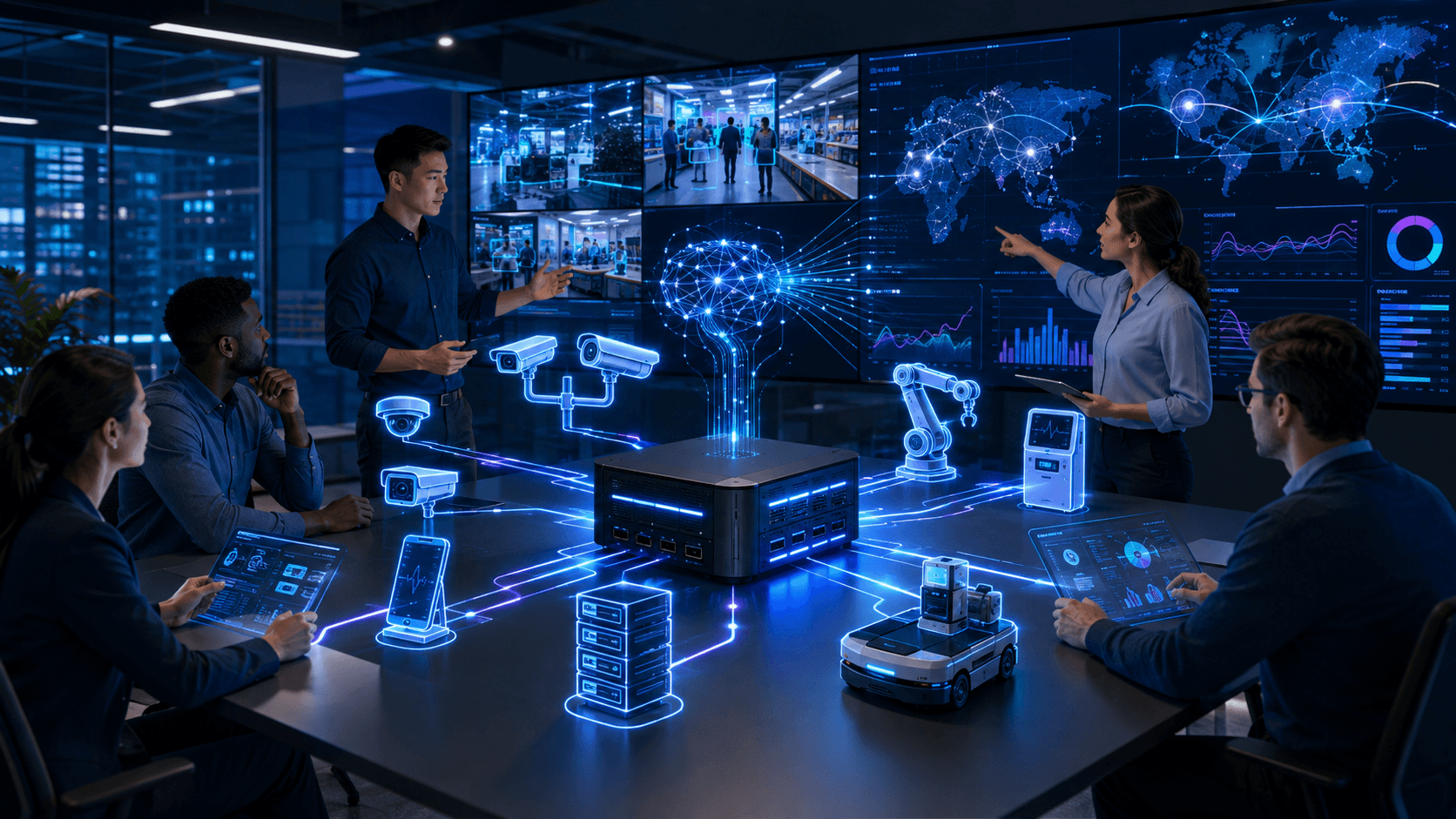
Edge AI allows artificial-intelligence models to run closer to the location where information is created. Processing may take place on a smartphone, industrial computer, smart camera, vehicle, medical device, retail kiosk or local business server.
NVIDIA defines Edge AI as deploying AI applications close to users and data sources rather than relying exclusively on central cloud infrastructure.
This does not mean that cloud computing is disappearing.
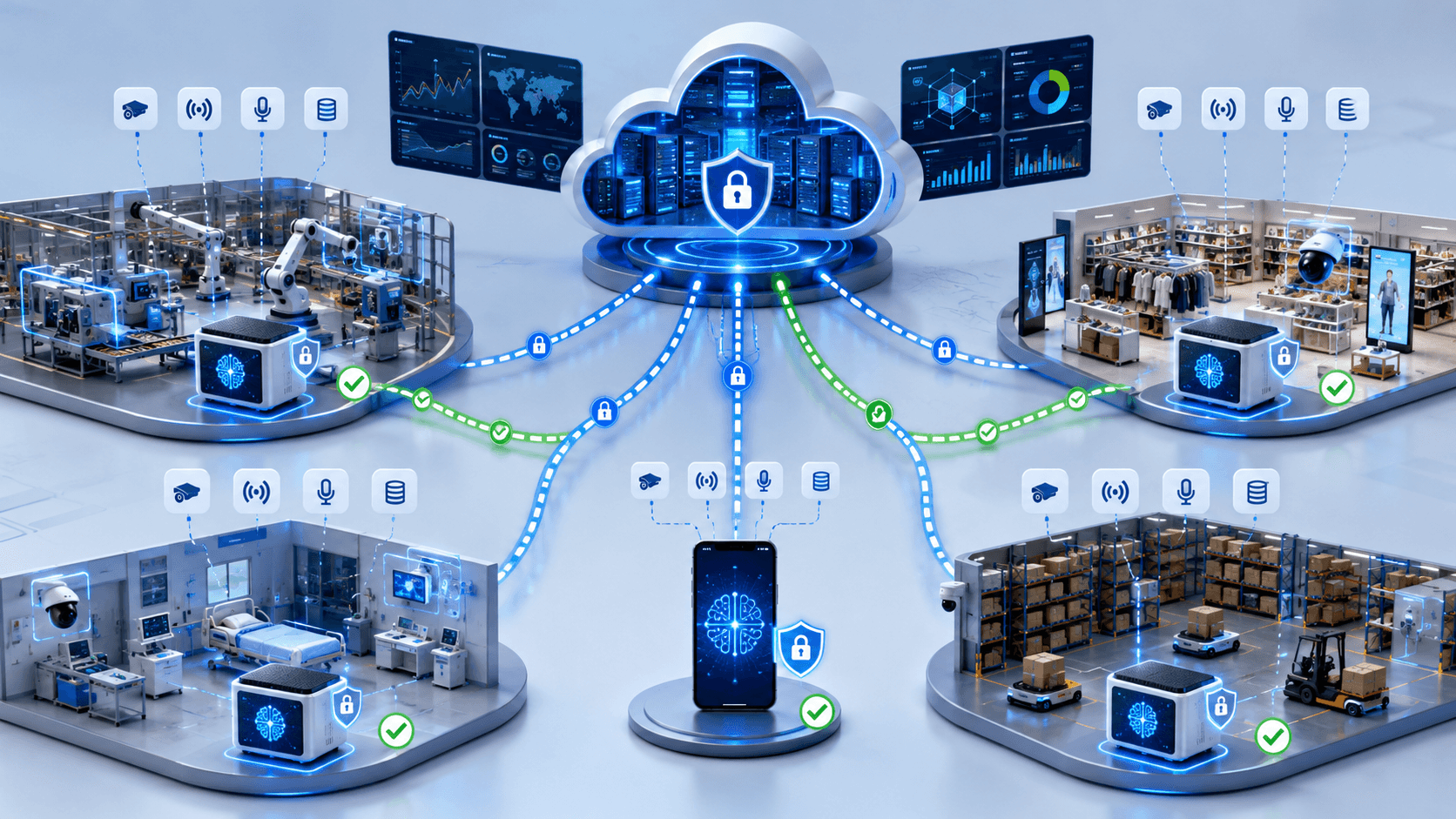
For many businesses, the most effective architecture will combine local processing with cloud training, management, analytics and long-term storage.
At Arrowhead DigiTech, we help organisations evaluate where AI should run, connect local intelligence with cloud platforms and build secure applications designed for real operational environments.
What Is Edge AI?
Edge AI combines artificial intelligence with edge computing.
Edge computing processes information near the device, user or physical environment where the information is generated.
Instead of sending every camera frame, sensor reading or customer request to a remote platform, the local device can analyse the information and respond directly.
Examples include:
- A camera detecting unsafe activity inside a factory
- A retail kiosk understanding voice commands
- A smartphone summarising documents locally
- A medical device identifying unusual measurements
- A warehouse robot avoiding an obstacle
- A security gateway detecting suspicious network behaviour
- A local server answering questions from private company documents
The device may still communicate with the cloud for software updates, central reporting, model improvements and wider business analytics.
The important difference is that immediate AI processing can continue locally.
Why Edge AI Is Becoming Important in 2026
Several technology developments are making local AI more practical.
AI models are becoming smaller and more efficient. Devices increasingly include GPUs, neural processing units and specialised AI accelerators. Development platforms are also making it easier to deploy the same application across PCs, local servers and embedded systems.
At Microsoft Build 2026, Microsoft expanded Foundry Local to support additional platforms, local APIs, hardware acceleration and deployment across disconnected, regulated and sovereign environments. Microsoft also introduced Foundry Local on Azure Local for running models, agents and tools through local enterprise infrastructure.
NVIDIA introduced the IGX Thor platform in March 2026 for industrial, medical and robotics Edge AI applications requiring high availability, real-time inference and stronger safety capabilities.
NVIDIA also released JetPack 7.2 in June 2026, creating a more unified software foundation across Jetson Orin and Thor devices and reducing the development and maintenance work required to support different Edge AI hardware.
These developments show that Edge AI is moving beyond experimental devices and becoming a serious enterprise deployment option.
Edge AI vs. Cloud AI
Edge AI and cloud AI solve different problems.
Cloud AI
Cloud AI is usually suitable when the business needs:
- Large and powerful models
- Centralised data analysis
- Flexible computing capacity
- Organisation-wide collaboration
- Long-term data storage
- Complex model training
- Access from many locations
Edge AI
Edge AI is particularly valuable when the business needs:
- Very fast local decisions
- Offline operation
- Reduced data transfer
- Greater control over sensitive information
- Continuous processing from cameras or sensors
- Reliable operation in remote locations
- Integration with physical machines
Hybrid AI
A hybrid architecture combines both approaches.
For example, a factory camera may detect product defects locally. It can send only the defect image and summary to the cloud instead of uploading the complete video stream.
The cloud can then combine results from several locations, update the AI model and distribute the improved version back to each factory.
For many organisations, hybrid AI will be more practical than choosing only local or only cloud processing.
The Main Business Benefits of Edge AI
Faster Responses
Sending information to the cloud introduces network delay.
For ordinary office applications, a small delay may not matter. For industrial machines, vehicles, medical systems and interactive customer experiences, even short delays can affect usability or safety.
Local processing reduces the distance between the data source and the AI decision.
NIST identifies lower sensing latency as an important advantage of processing information close to where it is generated.
Improved Privacy
Some AI applications process highly sensitive information.
This may include:
- Customer faces
- Voice recordings
- Medical measurements
- Employee activity
- Financial documents
- Private business records
- Industrial production data
Local processing can allow the application to produce a result without continuously transmitting the original information to an external cloud service.
This does not automatically guarantee privacy. The device, application, logs and local storage still need appropriate protection.
However, reducing unnecessary data movement can reduce exposure.
Lower Bandwidth Requirements
Cameras, microphones and industrial sensors can generate large amounts of data.
Uploading all of this information can create high connectivity and cloud-storage costs.
Edge AI can analyse the information locally and send only relevant results.
Microsoft notes that locally processing IoT information and transmitting only necessary results can reduce the cost of sending all collected data to the cloud.
Reliable Offline Operation
Some business locations have limited, expensive or unreliable internet connectivity.
Examples include:
- Construction sites
- Agricultural locations
- Offshore facilities
- Warehouses
- Mines
- Transport vehicles
- Temporary events
- Remote healthcare facilities
Edge AI can continue performing important tasks when the cloud is unavailable.
Azure IoT Edge, for example, supports local workloads that can continue operating during extended offline periods and synchronise after connectivity returns.
Better Data Control
Businesses operating in regulated or sensitive environments may need greater control over where information is processed.
Running selected AI workloads inside company facilities or approved devices can support privacy, sovereignty and internal governance requirements.
Microsoft’s 2026 Foundry Local expansion specifically targets disconnected, regulated and sovereign environments where organisations require stronger control over inference and infrastructure.
Lower Per-Request Cloud Costs
Cloud AI services may charge according to requests, tokens, processing time or data transfer.
A local model can process repeated tasks without creating a new cloud inference charge for every interaction.
However, local AI has its own costs, including hardware, energy, software maintenance and device management.
Businesses should compare the total cost of ownership rather than assuming local processing is automatically cheaper.
Important Edge AI Use Cases
Manufacturing Quality Control
Computer-vision models can inspect products as they move through a production line.
The system may identify:
- Surface damage
- Missing components
- Incorrect packaging
- Product size variations
- Assembly errors
- Safety-equipment violations
Local processing allows the system to react immediately without continuously uploading production video.
A defect can trigger an alert, remove an item from the line or notify an employee.
Predictive Equipment Maintenance
Factory machines produce vibration, temperature, sound and electrical data.
Edge AI can analyse these signals close to the equipment and detect unusual behaviour.
The system may identify early warning signs before a complete failure occurs.
Only alerts and selected diagnostic information need to be sent to the central maintenance platform.
Retail Analytics
Edge AI can support:
- Shelf availability monitoring
- Queue detection
- Customer-traffic measurement
- Self-service kiosks
- Product recognition
- Store safety
- Inventory tracking
A store can process video locally and transmit aggregated information instead of storing every customer recording centrally.
Retailers should still review privacy, notice and legal requirements before deploying customer-monitoring technology.
Healthcare and Medical Devices
Healthcare applications may benefit from fast, local and private processing.
Examples include:
- Medical-image assistance
- Patient monitoring
- Voice documentation
- Equipment safety
- Emergency alerts
- Local clinical decision support
NVIDIA’s 2026 IGX Thor platform is designed for industrial and medical Edge AI environments requiring reliability, high availability and safety-focused capabilities.
AI should not independently replace qualified medical judgment, particularly in high-impact situations.
Logistics and Warehousing
Edge AI can help warehouses and distribution centres manage:
- Package identification
- Loading accuracy
- Vehicle movement
- Damaged goods
- Worker safety
- Inventory locations
- Autonomous mobile robots
Local models can process camera and sensor information in real time while central systems manage orders and wider supply-chain analytics.
Smart Buildings
Buildings can use local AI for:
- Energy optimisation
- Occupancy analysis
- Equipment monitoring
- Access control
- Fire and safety detection
- Lighting management
- Air-quality monitoring
The system can make immediate adjustments while sending longer-term performance information to the cloud.
Customer-Service Kiosks
Voice-enabled kiosks can understand customer requests and operate even when internet connectivity is limited.
Qualcomm demonstrated a voice-enabled fast-food kiosk in 2026 that runs several AI models locally on an industrial processor.
Local voice processing may also reduce the need to transmit every customer recording to a remote service.
Private Enterprise AI
A company can run a document assistant or business AI model on a local server.
Employees may use it to:
- Search internal documents
- Summarise private files
- Prepare reports
- Analyse business data
- Support technical teams
Microsoft’s Foundry Local on Azure Local preview supports locally deployed models, retrieval systems, agents and custom MCP tools across edge and disconnected enterprise environments.
Robotics and Autonomous Systems
Robots cannot always wait for a cloud response before moving.
Edge AI can support:
- Object detection
- Navigation
- Sensor fusion
- Route planning
- Human interaction
- Safety monitoring
NVIDIA positions IGX Thor and Jetson platforms for real-time robotics and physical-AI workloads that operate close to sensors and machines.
Edge AI Does Not Mean Sending Nothing to the Cloud
A common misunderstanding is that Edge AI removes the cloud completely.
In most business deployments, local and cloud systems will continue working together.
The edge may handle:
- Immediate inference
- Sensitive-data filtering
- Local control
- Offline operation
The cloud may handle:
- Model training
- Fleet management
- Central dashboards
- Software distribution
- Data backup
- Long-term analytics
- Cross-location reporting
Businesses should decide which tasks belong at each layer.
The decision should be based on latency, privacy, cost, reliability and operational requirements.
Edge AI Security Risks
Running AI locally changes the security model.
A cloud provider may protect central infrastructure, but Edge AI devices can exist in stores, factories, vehicles and public environments.
Physical Device Access
An attacker may be able to touch, remove or modify an edge device.
Businesses should use:
- Secure enclosures
- Device authentication
- Encrypted storage
- Hardware-based trust
- Tamper monitoring
- Secure boot
Model Theft
AI models may contain valuable intellectual property.
A poorly protected device could allow someone to copy the model or study its internal behaviour.
Outdated Software
Managing hundreds of devices is more difficult than updating one cloud service.
The business needs a reliable method for distributing:
- Security patches
- Application updates
- Model versions
- Configuration changes
- Revoked credentials
Weak Device Identity
Each device should have a unique and verifiable identity.
Shared passwords or certificates make it difficult to identify compromised equipment and remove its access.
Insecure Local Data
Local processing may improve privacy, but the device may still store temporary files, video, prompts or business records.
Data should be encrypted and deleted according to a defined retention policy.
Malicious Inputs
Attackers may deliberately present unusual images, sounds, documents or sensor patterns to confuse an Edge AI system.
High-impact applications should combine AI predictions with business rules, safety controls and human review.
Compromised Model Updates
The business should verify that every model update came from an approved source and was not modified during delivery.
Signed software and model packages can reduce update-chain risk.
Edge AI Observability
Businesses need visibility into local AI performance.
A device may remain online while its AI model becomes less accurate.
Monitoring should include:
- Device health
- Model version
- Prediction quality
- Processing time
- Memory usage
- Temperature
- Storage availability
- Failed updates
- Security events
- Data drift
Azure IoT Edge supports central monitoring, device metrics and logs for distributed edge applications.
Monitoring systems should avoid collecting unnecessary sensitive information simply because it is technically available.
Model Optimisation for Edge Devices
Large cloud models may not run efficiently on smaller hardware.
Developers may need to optimise models through:
- Quantisation
- Pruning
- Distillation
- Smaller context windows
- Hardware acceleration
- Efficient inference runtimes
- Task-specific models
The objective is to achieve acceptable accuracy within the device’s memory, energy and processing limits.
The most powerful model is not always the best model for an Edge AI application.
A smaller specialised model may respond faster, consume less energy and be easier to maintain.
What Businesses Should Do Now
1. Begin With the Business Requirement
Do not select hardware before defining the problem.
Document:
- What decision the AI must make
- How quickly it must respond
- Which information it needs
- Whether internet connectivity is reliable
- What happens when the model is wrong
- Which business outcome should improve
2. Map the Data Flow
Identify where data is created, processed, stored and transmitted.
Determine which information must remain local and which information can safely move to the cloud.
3. Define Offline Requirements
Decide which features must continue working when connectivity is interrupted.
The application should have predictable behaviour when cloud services are unavailable.
4. Select the Correct Model
Compare models based on:
- Accuracy
- Processing speed
- Memory requirements
- Power consumption
- Licence terms
- Hardware support
- Update requirements
5. Choose Appropriate Hardware
The business may use:
- AI-enabled PCs
- Industrial computers
- Smart cameras
- Embedded devices
- Local servers
- GPUs
- Neural processing units
Hardware should be selected according to the workload and environment.
A clean office and a hot industrial facility may require very different equipment.
6. Build a Hybrid Architecture
Define which processing happens locally and which processing remains in the cloud.
Avoid duplicating the same work unnecessarily across both environments.
7. Design Security From the Beginning
Implement:
- Unique device identities
- Encrypted communication
- Secure boot
- Limited permissions
- Signed updates
- Protected local storage
- Device-revocation controls
8. Plan Fleet Management
The business should be able to see:
- Which devices are active
- Which model version they use
- Whether updates succeeded
- When certificates expire
- Which devices show unusual activity
9. Test Real Operating Conditions
Do not test only inside a development office.
Evaluate the system with realistic:
- Lighting
- Noise
- Connectivity
- Temperature
- Camera positions
- Customer behaviour
- Sensor conditions
10. Begin With a Controlled Pilot
Start with one location, device group or workflow.
Measure accuracy, latency, cloud savings, employee time and operational reliability before expanding.
What Small Businesses Should Understand
Edge AI is not limited to global manufacturers.
Small businesses may use local AI through:
- Security cameras
- Retail kiosks
- AI-enabled computers
- Local document assistants
- Smart inventory systems
- Voice transcription
- Equipment monitoring
The business should avoid purchasing specialised hardware simply because it is marketed as “AI-ready.”
Begin with a valuable workflow and confirm that local processing provides a real advantage over an existing cloud service.
Common Edge AI Mistakes
Moving Everything to the Edge
Some workloads require more computing power or central information than local devices can provide.
Selecting Hardware Before the Use Case
This can produce an expensive device that does not meet the operational requirement.
Ignoring Fleet Maintenance
A successful ten-device pilot may become difficult to manage across hundreds of devices.
Assuming Local Processing Is Automatically Private
The device may still store sensitive information or send detailed logs to the cloud.
Using One Model Forever
Business conditions, environments and input data change over time.
Forgetting Failure Behaviour
The system should respond safely when the model, device or network fails.
Monitoring Hardware but Not AI Quality
A healthy device can still produce inaccurate decisions.
Underestimating Physical Security
Edge devices may operate outside protected data centres.
What Arrowhead DigiTech Is Doing
At Arrowhead DigiTech, we help businesses design and deploy practical Edge AI solutions.
Edge AI Readiness Assessments
We review business processes, data, locations, connectivity and operational requirements.
Local AI Application Development
We build AI applications that run on PCs, local servers and supported edge devices.
Computer Vision Solutions
We develop visual systems for quality inspection, inventory monitoring, safety and operational analytics.
Private Business AI
We create local document assistants and knowledge systems for organisations that require stronger data control.
Cloud and Edge Integration
We connect local inference with central dashboards, storage, CRM platforms and business applications.
IoT and Sensor Integration
We connect AI workflows with cameras, sensors, machines and industrial systems.
Model Optimisation
We help select and optimise models for device memory, speed and power requirements.
Device Security
We implement identity, encrypted communication, access controls and secure-update processes.
Edge Monitoring
We create dashboards for device health, model versions, performance and security alerts.
Ongoing Support
We assist with model updates, device maintenance, scaling and operational improvement.
Our objective is not to move every AI workload away from the cloud.
We help businesses place each workload where it can operate most effectively.
A Practical Edge AI Roadmap
Stage One: Discovery
Identify the workflow, data, response-time requirements and business outcome.
Stage Two: Architecture
Decide what runs locally, what remains in the cloud and how both layers communicate.
Stage Three: Prototype
Test the model on realistic devices and operating conditions.
Stage Four: Pilot Deployment
Launch at one controlled location and monitor accuracy, reliability and cost.
Stage Five: Scale and Govern
Expand through secure fleet management, updates, monitoring and lifecycle controls.
Final Thoughts
Artificial intelligence is moving closer to the places where business activity actually happens.
Factories, stores, hospitals, vehicles and mobile devices increasingly need local intelligence that can respond quickly, protect sensitive information and continue operating when the cloud is unavailable.
Technology releases from Microsoft, NVIDIA and Qualcomm during 2026 show that local and enterprise Edge AI platforms are becoming more capable and easier to deploy.
Edge AI will not replace cloud AI.
The strongest business systems will often combine both.
Local devices can make immediate decisions, while cloud platforms manage training, reporting, updates and wider analytics.
Arrowhead DigiTech helps businesses build this balance through local AI development, computer vision, IoT integration, secure cloud architecture and ongoing device management.
The question is no longer whether every AI request can be sent to the cloud.
The better question is:
Where should each AI decision happen to deliver the fastest, safest and most valuable result?
Frequently Asked Questions
What is Edge AI?
Edge AI runs artificial-intelligence models near the device or location where information is generated instead of relying entirely on a remote cloud platform.
Is Edge AI the same as on-device AI?
On-device AI is a form of Edge AI that runs directly on a smartphone, computer, camera or other device.
Can Edge AI work without the internet?
Yes. Properly designed applications can perform selected tasks locally while offline and synchronise with the cloud after connectivity returns.
Is Edge AI more private than cloud AI?
It can reduce unnecessary data transmission, but the local device, storage, logs and application must still be secured.
Does Edge AI replace cloud computing?
No. Most organisations will use hybrid architectures combining local inference with cloud management, training and analytics.
Is Edge AI expensive?
Costs depend on hardware, scale, models, maintenance and cloud usage. Businesses should evaluate total ownership cost rather than only the initial device price.
Which businesses can use Edge AI?
Manufacturing, healthcare, retail, logistics, construction, agriculture, energy and professional-service organisations may all have relevant use cases.
How can Arrowhead DigiTech help?
Arrowhead DigiTech provides Edge AI assessments, local application development, computer vision, IoT integration, model optimisation, cloud connectivity and ongoing support.