AI Automation for Small Businesses in 2026: A Practical Guide
AI automation can help small businesses reduce repetitive work, improve customer service and increase productivity. Learn how to identify the right processes to automate in 2026.


Artificial intelligence is becoming an increasingly practical tool for small businesses.
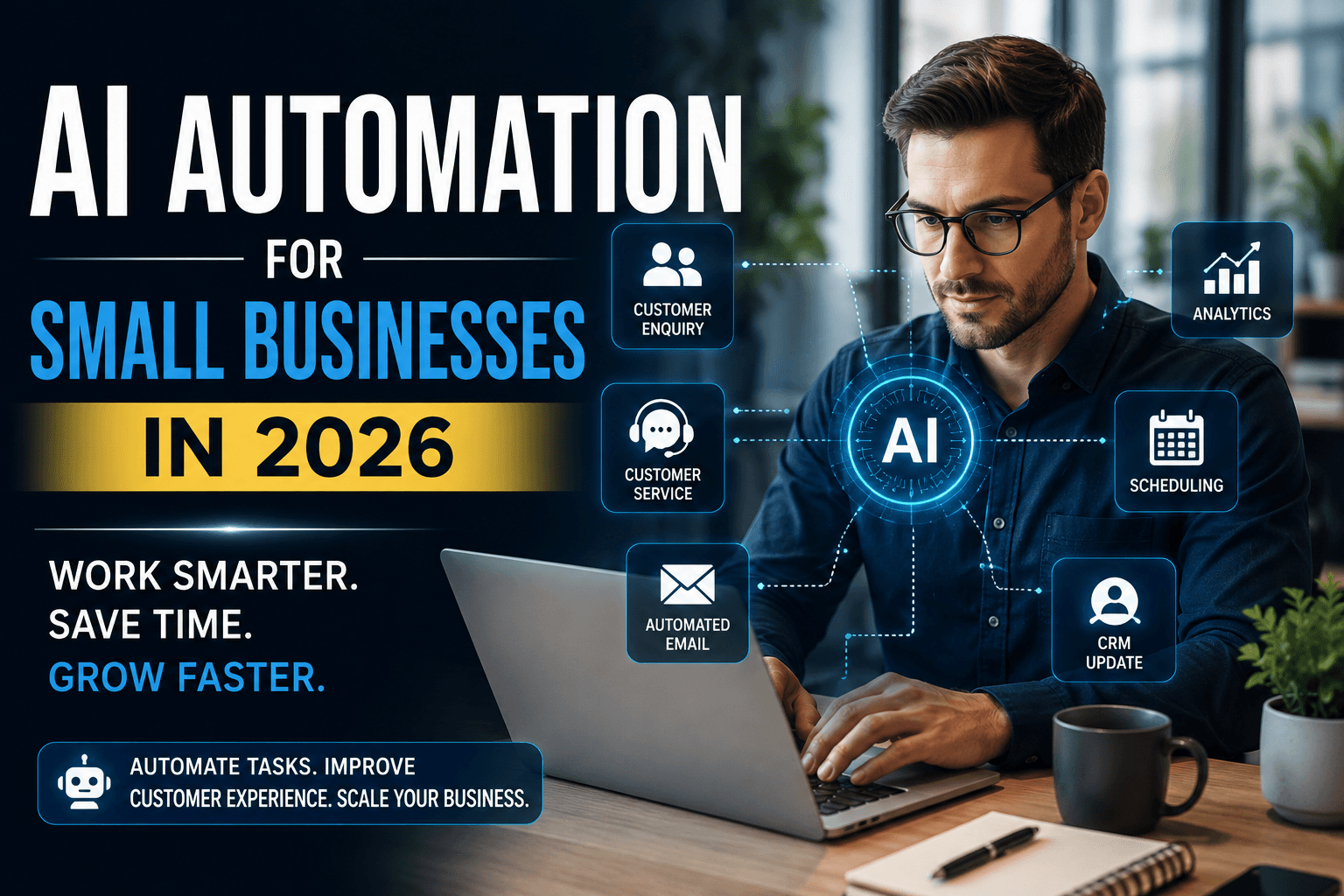
Companies no longer need large technology teams or massive budgets to use AI. Businesses can now automate customer enquiries, lead management, email communication, scheduling, document processing and many other repetitive tasks.
The biggest opportunity, however, is not simply using more AI tools.
It is using AI to improve the processes that already consume time and resources.
At Arrowhead DigiTech, we help businesses identify practical automation opportunities, connect AI with existing systems and build workflows that improve productivity while maintaining appropriate human oversight.
What Is AI Automation?
AI automation combines artificial intelligence with automated business workflows.
Traditional automation usually follows predefined rules.
For example:
A customer submits a form → send an email.
A new lead arrives → add it to the CRM.
An appointment is booked → send a confirmation.
AI automation can handle more complex information.
An AI-powered workflow can understand a customer message, identify what the customer needs, classify the enquiry, generate a response and send the information to the appropriate system or employee.
This makes AI useful for processes that previously required manual interpretation.
Why Small Businesses Need AI Automation
Small businesses often operate with limited staff and resources.
Employees may spend hours every week performing repetitive activities such as:
Answering common customer questions
Following up with leads
Updating CRM records
Writing routine emails
Scheduling appointments
Preparing reports
Organising documents
Creating marketing content
These tasks may seem small individually, but together they can consume significant amounts of employee time.
AI automation allows businesses to reduce repetitive work so employees can focus on customers, sales, strategy and other activities that require human judgment.
AI Automation Does Not Mean Replacing Employees
AI automation should not necessarily be about replacing people.
In many cases, the best approach is human-in-the-loop automation.
AI can prepare an answer while an employee approves it.
AI can identify a sales opportunity while a salesperson decides how to approach the customer.
AI can summarise a document while a professional reviews the important information.
The objective is to automate repetitive work while keeping humans responsible for important decisions.
Where Small Businesses Can Use AI Automation
1. Customer Service
AI can handle repetitive customer questions about:
Pricing
Services
Availability
Locations
Opening hours
Policies
Appointments
An AI assistant can provide immediate answers and transfer complicated enquiries to a human employee.
This allows businesses to provide faster support without requiring employees to manually answer the same questions throughout the day.
2. Lead Management
Lead follow-up is another strong opportunity for automation.
An AI workflow can:
Capture new leads
Identify customer requirements
Categorise enquiries
Score potential leads
Update the CRM
Send an initial response
Notify sales employees
Schedule follow-ups
This can help businesses reduce missed opportunities and keep their sales pipeline organised.
3. Email Automation
AI can analyse incoming emails and identify their purpose.
Messages can be categorised as:
Sales enquiries
Customer support
Billing
Appointments
Complaints
General enquiries
The system can recommend responses, extract important information or send the message to the appropriate department.
Sensitive or important communications can still require human approval.
4. Marketing Automation
Marketing teams can use AI to speed up repetitive content tasks.
AI can assist with:
Blog outlines
Social-media drafts
Email campaigns
Advertising concepts
Content repurposing
Research
Marketing reports
Human review remains important to ensure accuracy, brand consistency and quality.
5. Appointment Scheduling
AI can help customers schedule appointments without lengthy back-and-forth communication.
A workflow can:
Receive the customer's request.
Identify the required service.
Check availability.
Schedule the appointment.
Send confirmation.
Send a reminder.
Update the CRM.
This can save employees significant administrative time.
How an AI Automation Workflow Works
A typical workflow has several stages.
Stage One: Trigger
Something starts the process.
This could be:
A website form
An email
A customer message
A new CRM record
A calendar booking
A document upload
Stage Two: AI Analysis
AI interprets the information and determines what needs to happen.
Stage Three: Business Rules
The workflow applies company-specific rules.
For example, a high-value lead may go directly to a salesperson while a basic enquiry receives an automated response.
Stage Four: Action
The system performs the required action, such as sending an email, updating a CRM or creating a task.
Stage Five: Human Review
Important or unusual cases can be sent to an employee for approval.
Stage Six: Monitoring
The business measures whether the workflow is actually producing better results.
Which Tasks Should Businesses Automate First?
Not every business process should be automated.
A good starting point is a task that is:
Repetitive
High-volume
Time-consuming
Predictable
Relatively low-risk
For example, answering the same customer questions hundreds of times per month may be an excellent automation opportunity.
A complicated legal negotiation probably requires human involvement.
Businesses should prioritise automation based on business value and risk, not simply because a process can technically be automated.
AI Automation for Different Businesses
Different industries can benefit from different workflows.
Car Rental Companies
AI can assist with:
Vehicle enquiries
Booking requests
Lead qualification
Customer follow-ups
Rental reminders
CRM updates
Review requests
Marketing Agencies
Automation can support:
Client onboarding
Lead management
Content workflows
Reporting
Research
Internal task creation
Real Estate Businesses
AI can help automate:
Property enquiries
Lead qualification
Follow-ups
Appointment scheduling
CRM updates
Listing content
Professional Services
AI can assist with:
Client intake
Document organisation
Email classification
Meeting summaries
Internal research
Task management
Businesses handling sensitive information should apply appropriate privacy and security controls.
Common AI Automation Mistakes
Automating a Bad Process
AI cannot automatically fix a poorly designed workflow.
Businesses should understand and improve the process before automating it.
Using Too Many Tools
Adding separate AI tools for every department can create disconnected systems.
A better approach is to build workflows that connect existing business applications where possible.
Removing Human Oversight
Some decisions should remain under human control.
Financial transactions, sensitive customer requests, legal communications and important business decisions may require employee approval.
Ignoring Data Security
Businesses should understand what information AI systems process, where it is stored, who can access it and how providers handle the data.
Measuring Tools Instead of Results
Having an AI chatbot does not automatically make a business more efficient.
Businesses should measure actual outcomes such as:
Time saved
Response speed
Lead conversion
Customer satisfaction
Error reduction
Employee productivity
How to Start an AI Automation Strategy
Businesses can begin with a simple five-step process.
1. Identify Repetitive Work
Ask employees which tasks consume the most time.
2. Prioritise Opportunities
Focus on processes with high volume, high time consumption and clear business value.
3. Design the Workflow
Determine where AI, automation and employees should be involved.
4. Implement One Process
Start with one useful workflow instead of trying to automate the entire company.
5. Measure and Improve
Track results and improve the workflow based on real-world performance.
Once the first automation works reliably, businesses can expand into additional processes.
Security Should Be Part of AI Automation
AI workflows often connect several systems.
For example:
Website → AI → CRM → Email → Calendar
Each connection can create security and privacy considerations.
Businesses should consider:
Access permissions
Authentication
API security
Data protection
Logging
Vendor security
User permissions
Security should be designed into the automation from the beginning.
What Arrowhead DigiTech Can Do
At Arrowhead DigiTech, we help businesses turn AI from an experimental technology into practical business automation.
Our services include:
AI Readiness Assessments
We identify repetitive processes and evaluate where AI can create measurable value.
Workflow Automation
We design automated workflows connecting websites, CRM systems, communication platforms and business applications.
AI Assistants
We develop AI assistants for customer support, lead qualification and business communication.
CRM Automation
We help businesses automate lead management, follow-ups and customer workflows.
Website AI Integration
We integrate AI-powered functionality into websites to improve customer interaction and lead generation.
Custom AI Development
We build AI assistants, workflow agents and automation solutions based on specific business requirements.
Monitoring and Analytics
We help businesses track automation performance, errors and business results.
Our goal is not to automate everything.
Our goal is to automate the right things.
A Practical AI Automation Roadmap
Businesses can approach AI automation in five stages:
Stage One: Discover
Identify repetitive tasks and operational bottlenecks.
Stage Two: Prioritise
Select processes with the strongest business value.
Stage Three: Design
Create the workflow and define human approval points.
Stage Four: Implement
Connect the required AI tools and business systems.
Stage Five: Optimise
Measure performance and improve the workflow over time.
This gradual approach allows businesses to adopt AI without disrupting their entire operation.
Final Thoughts
AI automation is becoming one of the most practical ways for small businesses to improve productivity in 2026.
The biggest opportunity is not simply generating text or images with AI.
It is connecting AI to the actual processes that keep a business running.
Customer service, lead management, appointment scheduling, marketing and administrative tasks can all become more efficient when automation is designed strategically.
The businesses that benefit most from AI will not necessarily be those using the most tools.
They will be the businesses that identify their biggest operational problems and use AI to solve them intelligently.
Arrowhead DigiTech helps businesses build practical, secure and measurable AI automation solutions designed around their actual needs.
Frequently Asked Questions
What is AI automation for small businesses?
AI automation uses artificial intelligence and automated workflows to perform repetitive tasks such as customer communication, lead management, scheduling and administrative work.
Is AI automation useful for small businesses?
Yes. Small businesses can use AI automation to save employee time, respond to customers faster, organise leads and improve operational efficiency.
What should a small business automate first?
Start with repetitive, high-volume and predictable processes that consume significant employee time.
Can AI completely replace employees?
Not necessarily. AI is often most effective when it works alongside employees, handling repetitive tasks while people manage important decisions.
Can AI connect with existing business software?
Yes. AI workflows can often integrate with websites, CRM platforms, email systems, calendars and other business applications.
How can Arrowhead DigiTech help?
Arrowhead DigiTech provides AI readiness assessments, workflow automation, AI assistants, CRM automation, website AI integration and custom AI development.
This article provides general business and technology information and should not be treated as legal, financial, cybersecurity or regulatory advice.